



Step 1
Take the pictures you want and load them onto your computer from your camera (assuming that you were smart enough to use a digital camera. That shouldn't be a problem, though.)
Step 2
Create an account at Photobucket for free. They will host images for free so you can post them here.
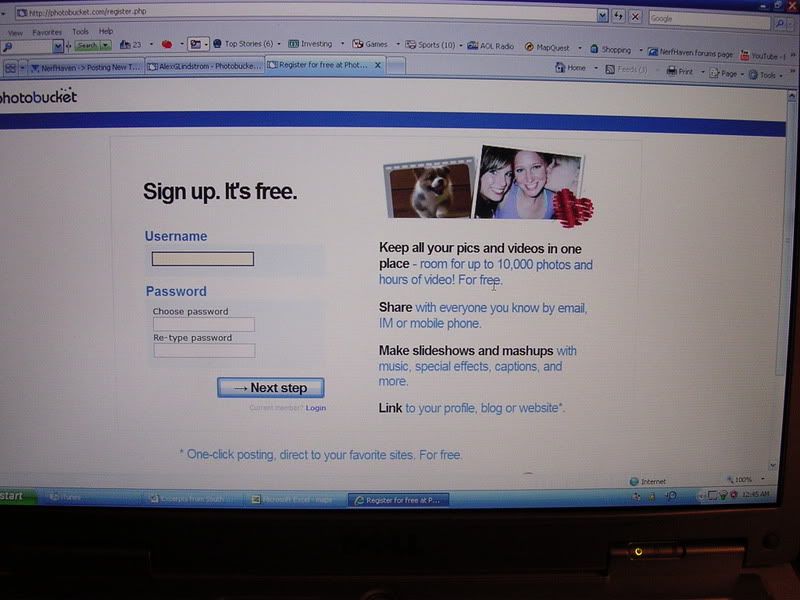
Step 3
Sign in to your new account. From there, find the page with the option to upload pictures to Photobucket. use the browse button to find the picture you are looking for. Queue up to three pictures at a time and hit "Upload".
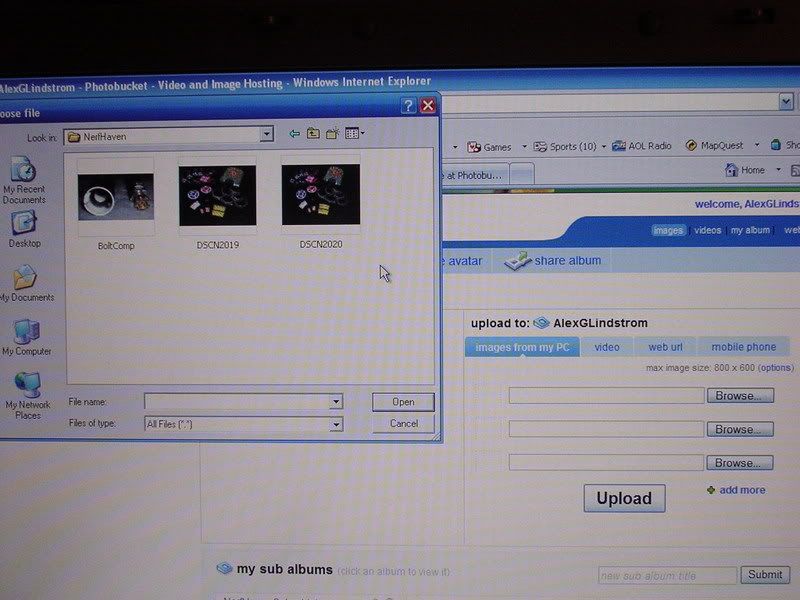
Step 4
Wait for the images to finish uploading. When the process is completed, scroll down to your newly loaded picture.

Step 5
Copy the second URL tag under your desired image by clicking on the words "URL Link."
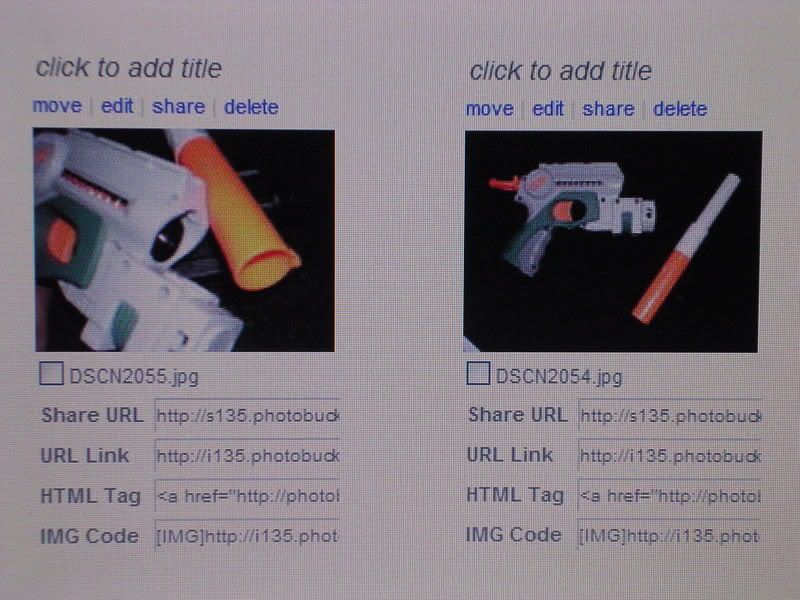
Step 6
While posting, click the button that looks like a tree. This will open a scripted window asking you for the URL code you just copied, which you will paste OVER the existing contents of the input field. Hit "OK."
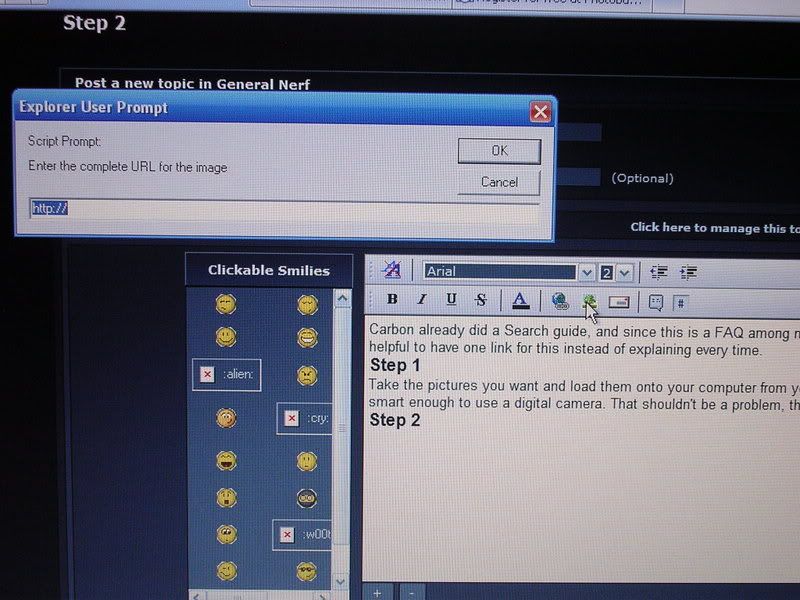
Step 7
Manually resize the image as needed by grabbing and dragging the boxes lining the picture's border. Continue typing your post, repeating steps five and six as necessary.
Step 8
Post your work.
This is ideal for write-ups, which usually require many images, although you are restricted to posting ten pictures per post. Have fun.
P.S.: Other image hosting sites may be substituted for Photobucket, but in my own experience, Photobucket is easier and faster to use.
Edited by SHADOW HUNTER ALPHA, 03 July 2007 - 12:43 AM.





 )\,,/
)\,,/


